In three lines - Your caps, goggles, suits, and swim tools all live in a four-category closet, with photo backgrounds removed automatically so every item displays cleanly. - Every swim day generates an outfit card — the gear combination you used that day, laid out on a single card with a background you can customize. - The monthly calendar stamps each training day with a mini outfit thumbnail, so your month of swim fashion history fits on one screen.
1. The Gap in Swim Gear Tracking
Swimmers pay attention to their gear. The quick tug on the goggle strap before getting in, the check that the cap sits over both ears — the pre-swim ritual happens for a reason. Comfortable gear means one less thing to think about once you're in the water.
But ask yourself: which goggles did you use yesterday?
- When did you first try that new pair you bought two months ago?
- How long has it been since you pulled out the racing suit?
- Was the last time you used fins this month or last month?
Swim workouts get logged in precise detail — distance, time, heart rate, SWOLF. Gear, on the other hand, exists only in memory, and memory drifts. There's no way to look back and see what you used, when you rotated something in, or which combinations worked well together.
The FINNS closet and outfit features start from that gap.
2. The Closet — Four Categories, Background Removed
How It's Organized
The Closet screen divides into four tabs along the top:
- Cap
- Goggles
- Suit
- Swim Tools
Each tab shows your items in a grid. The + button at the top right adds a new item to whichever category is open.
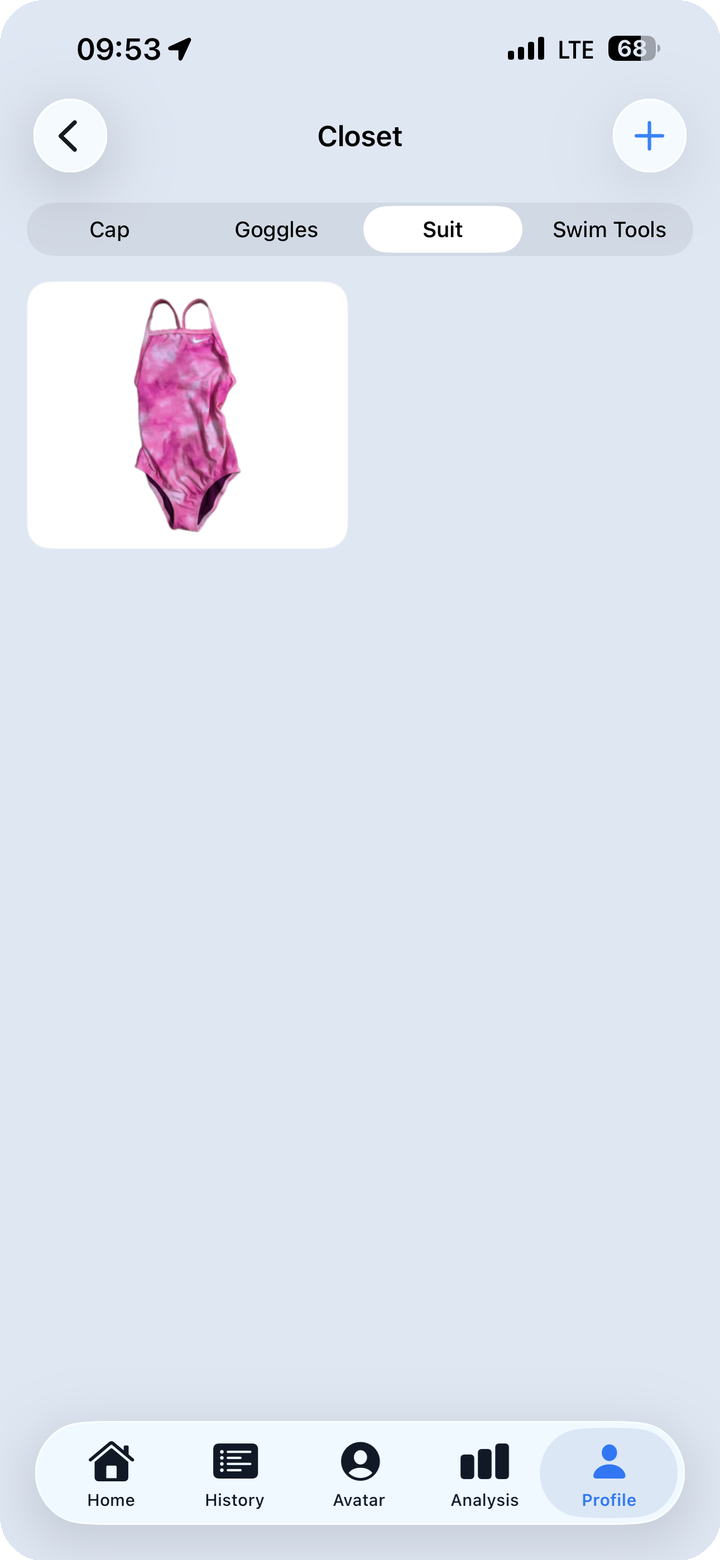
The Suit tab lays out every swimsuit you've added in a card grid. The first thing you notice is how the photos look: when you add an item, the background is automatically removed from the photo, leaving only the suit itself. Photos taken in locker rooms, on tiled pool decks, or anywhere with a cluttered background come out the same clean way — just the gear, on a neutral field.
That consistency makes it easy to scan the grid and immediately know what you have.
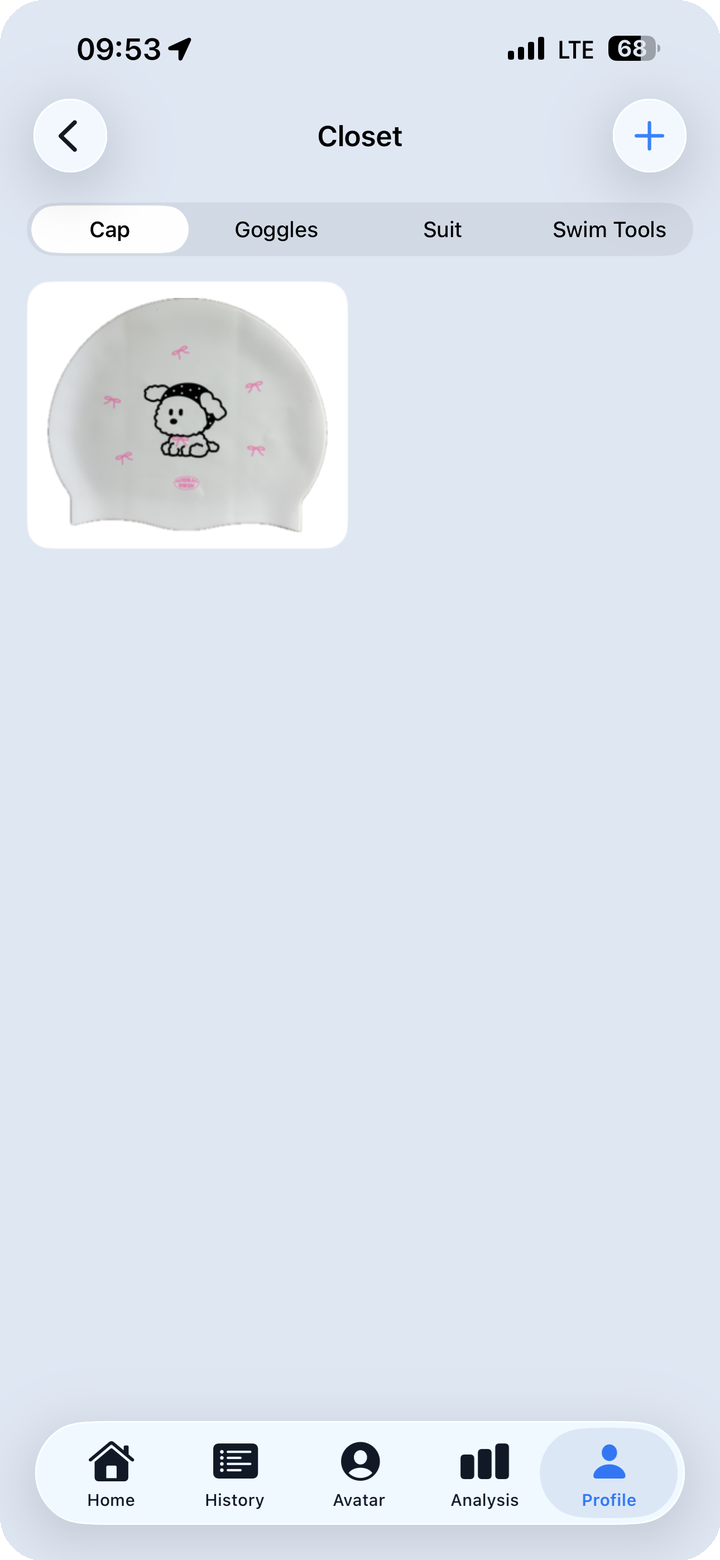
The Cap tab shows the same clean grid treatment applied to headwear. Caps vary wildly in design — character graphics, holographic finishes, plain silicone — and background removal means those details read clearly rather than competing with whatever happened to be behind the cap when you took the photo.
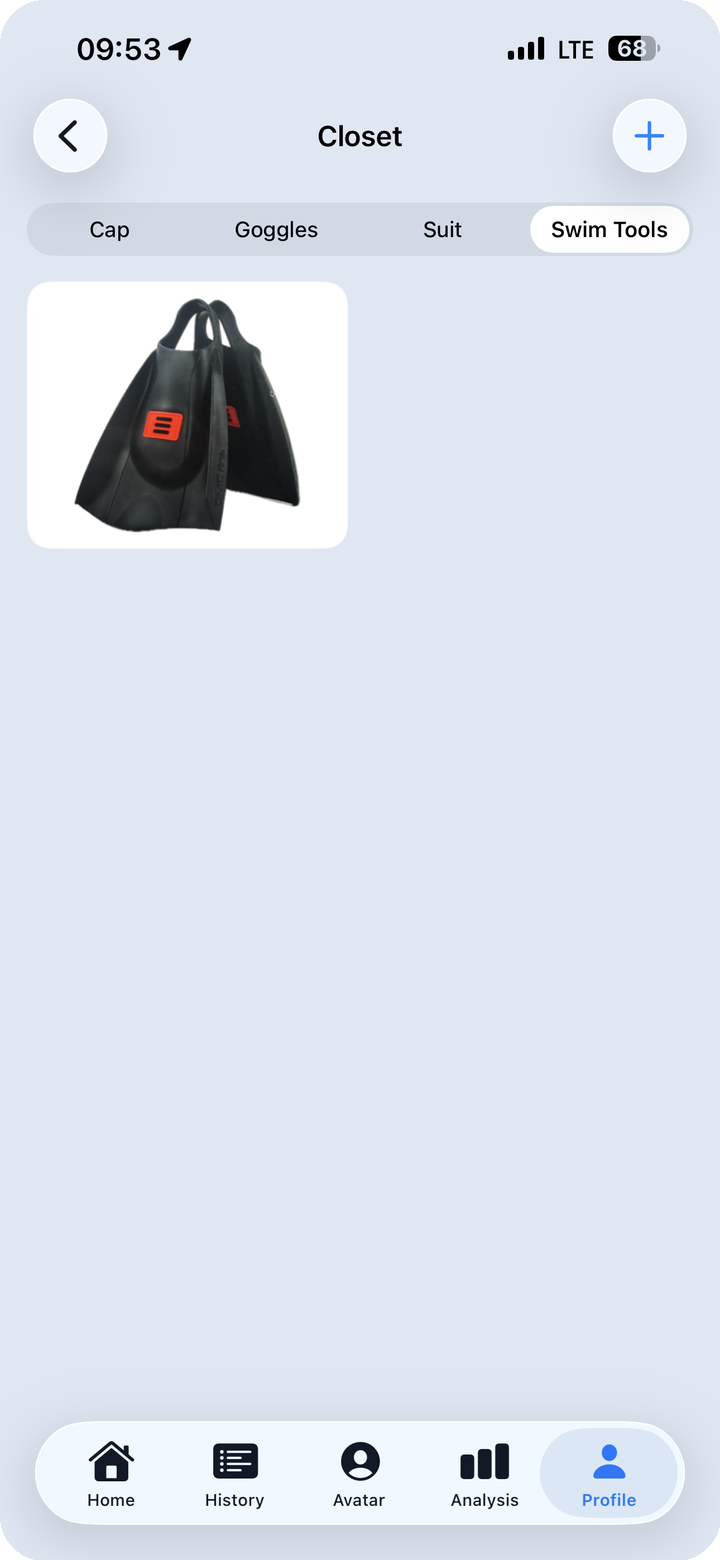
The Swim Tools tab holds training equipment like fins. Larger, more awkward-to-photograph items still get the same treatment and sit in the same grid format.
Why Background Removal Matters Here
A personal photo of swim gear almost always has visual noise behind it — the floor of a locker room, pool tiles, other belongings in frame. Upload several photos from different days and different locations, and the grid turns into a collage of mismatched backgrounds. It's visually messy and makes it harder to actually see the items.
Stripping the background automatically keeps every item looking like it belongs in the same collection. It also removes the friction of needing a "good" photo — you take a quick snapshot, the background disappears, and the item is ready.
3. The Outfit Card — That Day's Combination on One Card
What the Outfit Card Shows
In the History screen, the My Swim Gear tab shows each day's outfit record.
Tap a specific date and you see that session's gear combination as an outfit card: the cap, goggles, suit, and fins you used that day, arranged on a background as a single composed image.
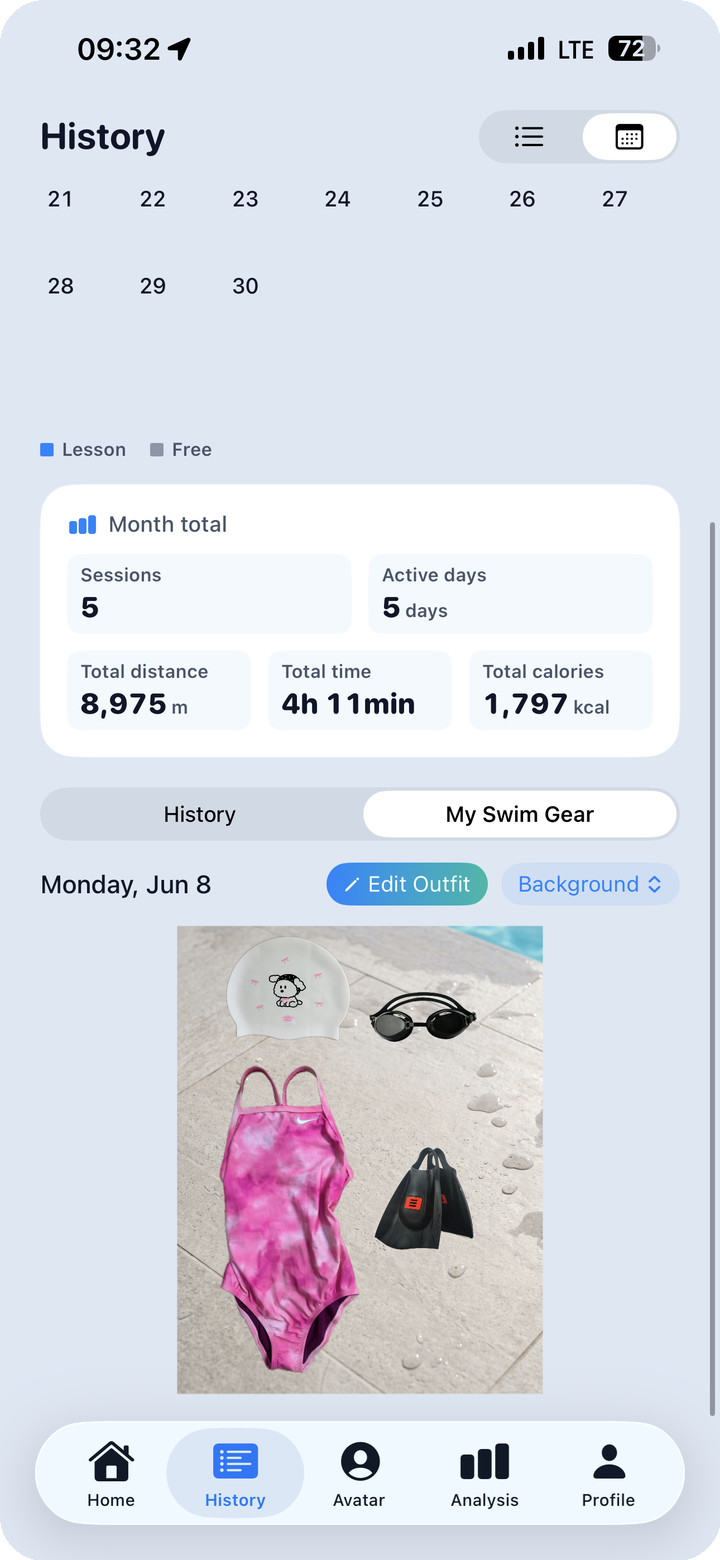
Two things can be adjusted from the card view:
- Edit Outfit — go back to the closet and update which items were used for that session
- Background — change the card's background image
Why a Card Format
Listing gear as plain text gives you the information. A card gives you a picture you can remember.
When you want to recall what you wore to a particular breaststroke-heavy session two weeks ago, reaching for a visual card is faster than scrolling through a list. The card format ties a date, a workout, and a gear combination into one retrievable image — the kind of thing that actually sticks.
The background option is a small detail, but it shifts the card from a log entry into something more personal. A flat record becomes a visual snapshot of that day's swim.
4. The Calendar View — A Month of Outfit History
The Full Month at a Glance
The monthly calendar stamps each swim day with a miniature outfit thumbnail.
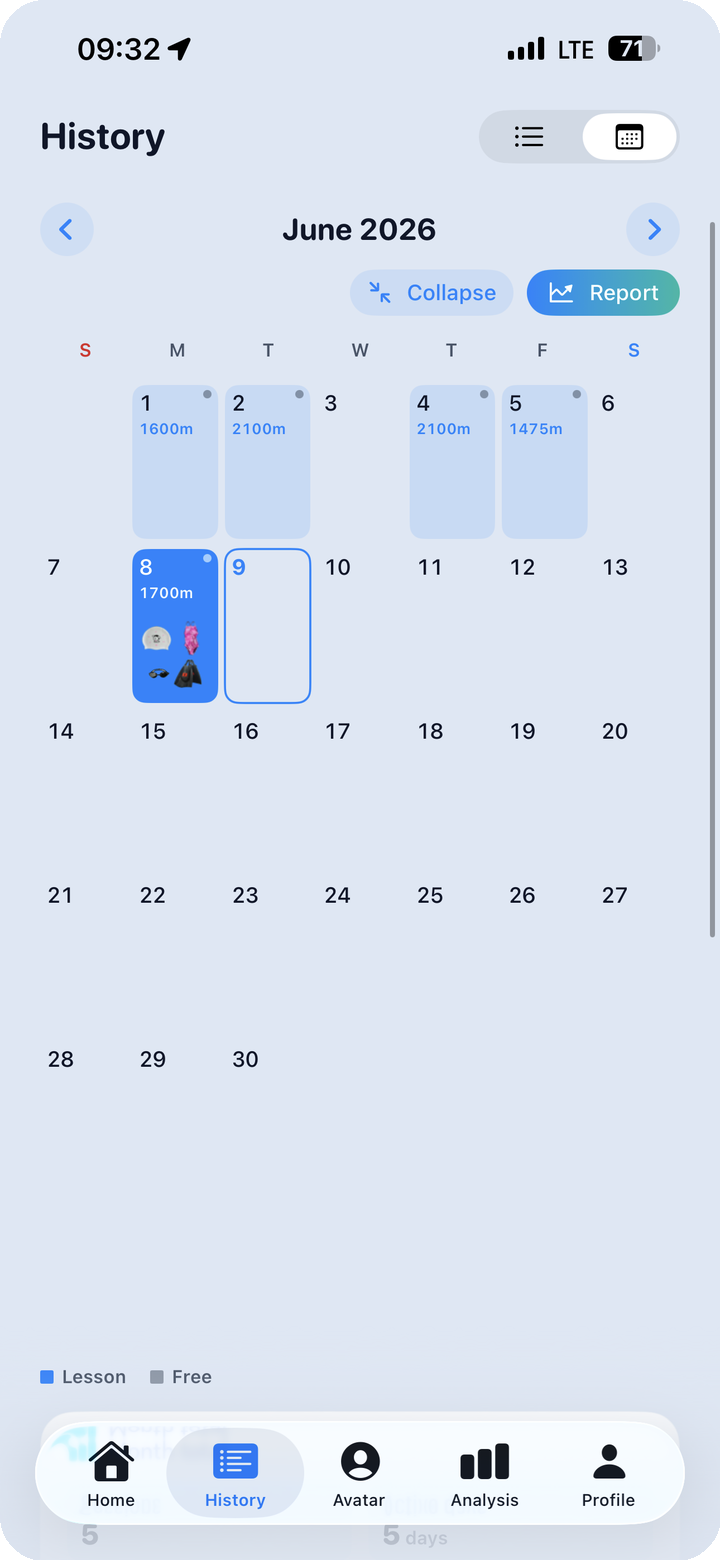
Scroll through the calendar and the pattern becomes visible immediately: which days had workouts, and on those days, exactly what gear was used. A month of swim sessions reduced to a single screen.
What the Calendar View Reveals
An individual card shows one day. The calendar shows a month.
With both in front of you, different things come into focus:
- Which items you reach for most often and which have been sitting untouched
- Whether certain gear combinations cluster around specific days or conditions (fins on weekends, racing suit only on Saturday mornings)
- How much variety you actually brought to your training over a month
It's not a style board. It's a usage record — one that happens to be visual.
5. Getting the Most Out of It
Add Items When You First Use Them
The cleanest way to build the closet is to add an item the first time you take it out. First use of a new pair of goggles, first time pulling on a new suit — add it then. Trying to reconstruct a closet from memory later works, but the details blur. Register at first use and that date becomes the natural starting point of the item's record.
Use It to Manage Rotation
Swimsuits and goggles wear down with regular use. If the calendar shows the same suit appearing session after session for weeks on end, that's a signal to rotate something in. If a suit hasn't appeared in months, it's worth asking whether it's been forgotten or whether there was a reason you stopped reaching for it.
Edit Outfit After the Fact
You don't have to record gear immediately after a workout. The Edit Outfit function lets you update a session's outfit any time. The workout itself is captured automatically by the watch — the gear record can be added or corrected from the closet whenever you have a moment.
Track Wear Over Time
"When did I get these goggles?" is a question that comes up when the seal starts to soften or the strap loses its snap. The closet registration date combined with the outfit card history gives you a rough picture of how long an item has been in use and how heavily it's been rotated. Replacing gear by feel is fine; replacing it with some sense of actual usage history is better.
Closing
Gear is part of the swim experience. The right goggles change your sightlines underwater. A comfortable cap changes how the pre-swim routine feels. These things matter — but until now, there's been no place to record them alongside the workout data.
The closet is a drawer for your gear. The outfit card is an album of how you used it. The same way your watch captures what happened in the water, the closet captures what you brought with you.
A swim record isn't just distance and time.
For more on what FINNS tracks: - Post 01 — FINNS overview - Post 03 — Reading the multi-chart - Post 04 — The 240-medal system