What you'll learn - Browse items by category in the wardrobe. - Spend coins on draws (gacha) and check the odds. - Turn duplicate items into new ones with Recombine.
1. What is gacha
Gacha means "spend coins, get a random item." In Finns SwimLog it's the only way to turn the coins you earned from swimming into caps, swimwear, goggles, and other items your avatar can wear. There's no way to buy items with real money — every item comes from a coin draw.
2. Where to open
Tap Avatar → Open wardrobe, or use the quick-action button on Avatar home.
3. Screen layout
Open the wardrobe and your coin balance sits at the top, followed by seven category tabs: hair, suit, cap, goggles, watch, tools, background. Pick a category to see the items you own and the draw buttons.
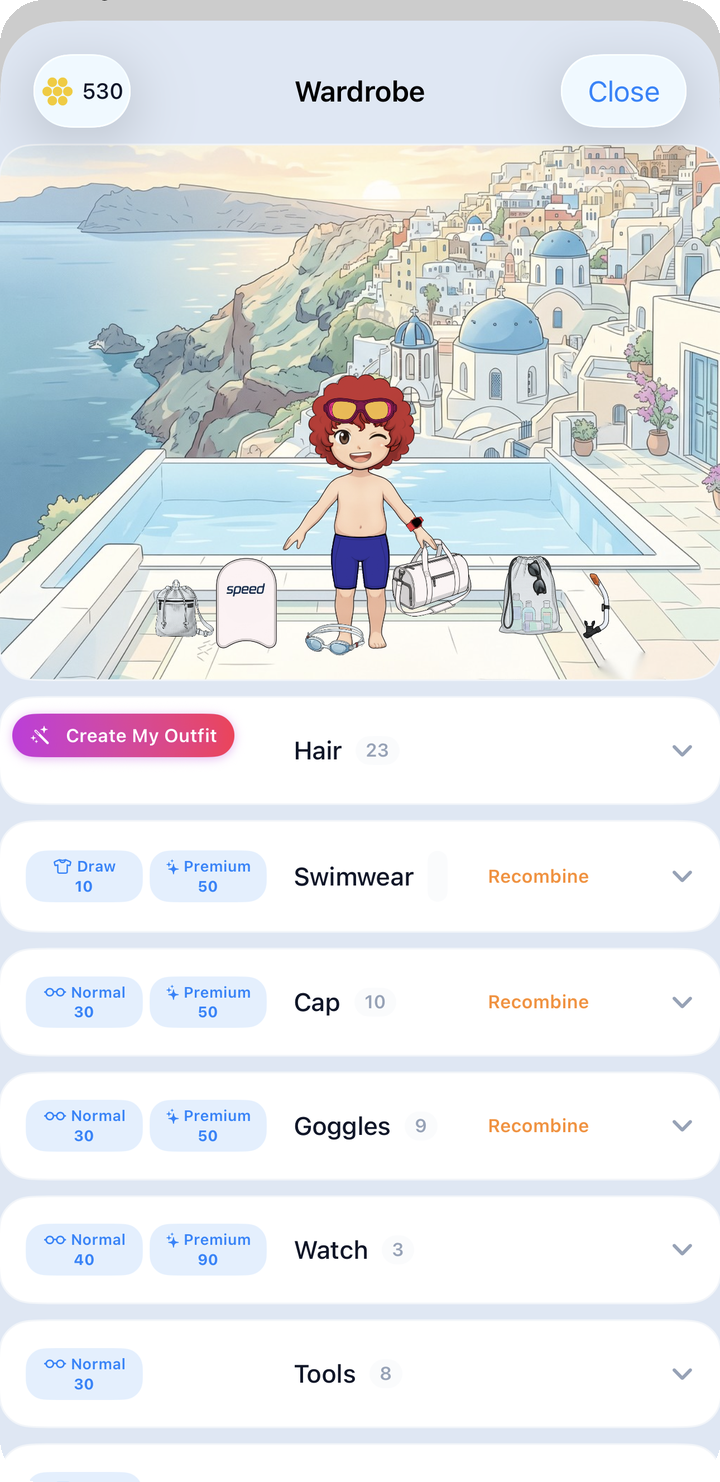
What to look for on this screen: - Coin balance at the top: what you can spend right now. - Category tabs: Hair / Suit / Cap / Goggles / Watch / Tools / Background. - Each category has its own "standard draw" and "premium boost draw" buttons.
Open a category and your owned items appear in a grid.
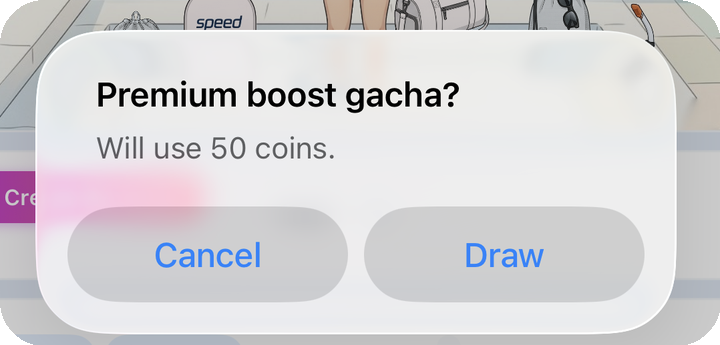
Tapping a draw button doesn't deduct coins immediately — a confirm popup appears first ("Run normal gacha?" or "Run premium boost gacha?") along with "Will use {cost} coins." Only after confirming does the cost actually get deducted. If you don't have enough coins, you'll just see a "Not enough coins" toast and nothing is charged.
4. Draw types and cost
Cost varies by category.
| Draw | Cost (coins) | Result |
|---|---|---|
| Equipment: Normal | 30 | Random cap, goggles, tool, etc. |
| Equipment: Premium | 50 | 50/50 cap or goggles + pattern guaranteed |
| Swimwear draw | 10 | Random swimwear |
| Watch: Normal | 40 | Apple Watch design |
| Watch: Premium | 90 | Apple Watch Ultra design |
| Background draw | 30 | Random background you don't already own |
Background draws never repeat a background you already own — once you own them all, you'll see an "All backgrounds owned" toast and no coins are charged.
5. Rarity odds (as shown in-app)
Items come in four rarities — Common / Rare / Epic / Legendary — and higher rarities come with fancier patterns. Common and Rare items are always solid colors; Epic and Legendary always have a pattern.
| Rarity | Normal draw | Premium boost draw | Recombine (15 items) |
|---|---|---|---|
| Common | 90% | 50% | 20% |
| Rare | 7% | 30% | 40% |
| Epic | 2.5% | 15% | 30% |
| Legendary | 0.5% | 5% | 10% |
The in-app "Gacha rates" card shows these exact numbers. There is no way to pay cash to boost the odds — coins are the only currency.
6. Checking your result
After a draw, the app shows exactly what you got as a toast plus a card.
As shown above, the item name and rarity appear as a toast, and the new item is immediately added to the category grid below.
The number of items per category varies — hair, for example, opens into a grid showing this many hairstyles at a glance.
7. Recombine — dealing with duplicates
Keep drawing and duplicates pile up. That's what Recombine is for. Pick several items from the same category (swimwear, cap, or goggles only), give them up, and get one new item in return.
- Pick 8 items and you get one item at the same odds as a premium boost draw (Common 50% / Rare 30% / Epic 15% / Legendary 5%).
- Pick 15 items and the odds improve further (Common 20% / Rare 40% / Epic 30% / Legendary 10%).
- Recombine costs no coins. In exchange, the items you selected are gone for good.
The confirmation screen warns: "Delete {n} items permanently and run 1x {tier}. This cannot be undone." — so be careful not to select anything you actually want to keep. Tools, watches, hair, and backgrounds can't be recombined, and anything currently equipped can't be selected either.
8. Where the coins come from
Every coin you spend in the wardrobe comes from the attendance and workout bonuses covered in Avatar. Since there's no way to pay cash, getting better items really does come down to swimming consistently and building up coins.
Next: Share